- Home
- Complete CarRadio
Complete CarRadio
39.99 €
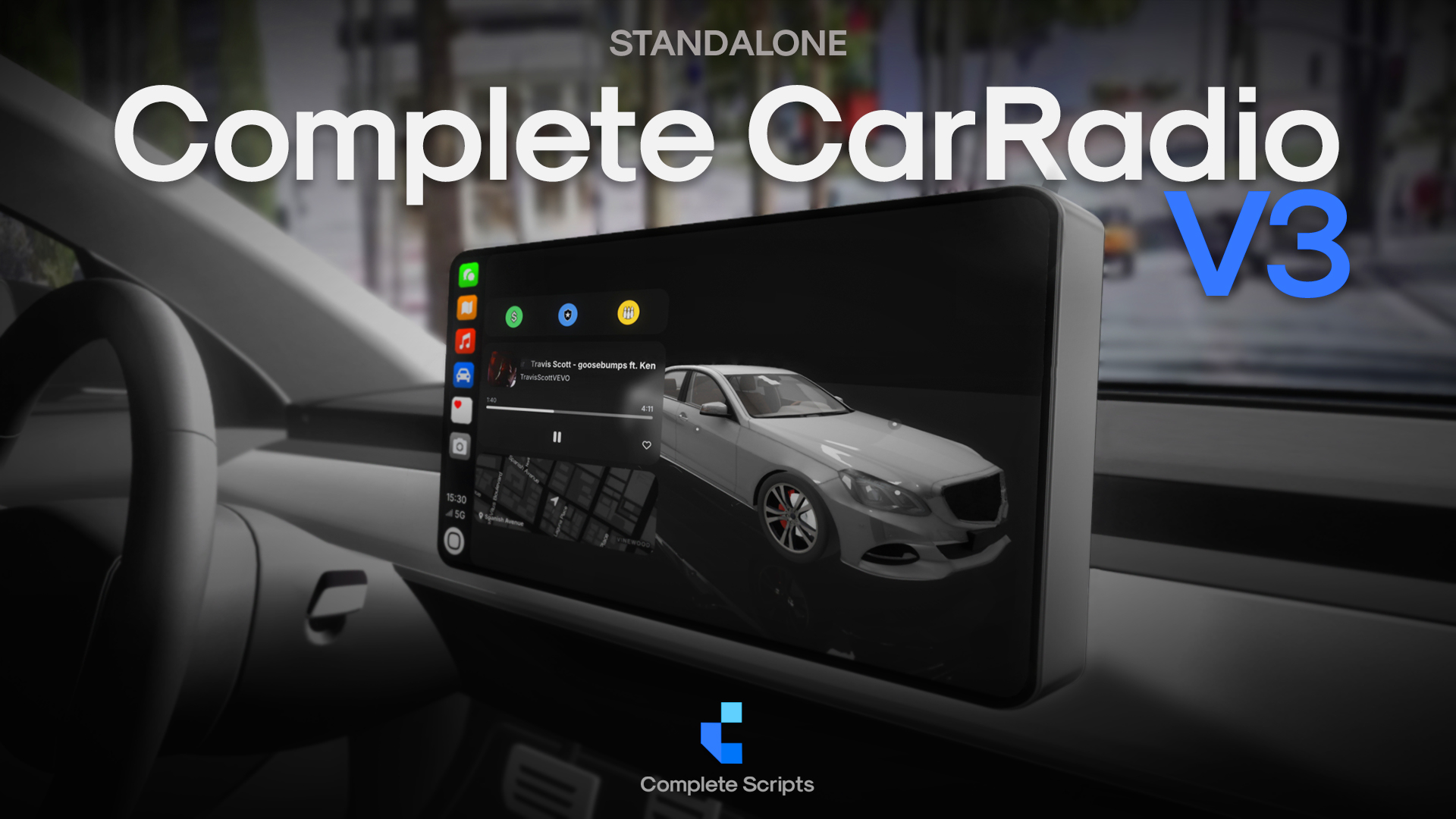
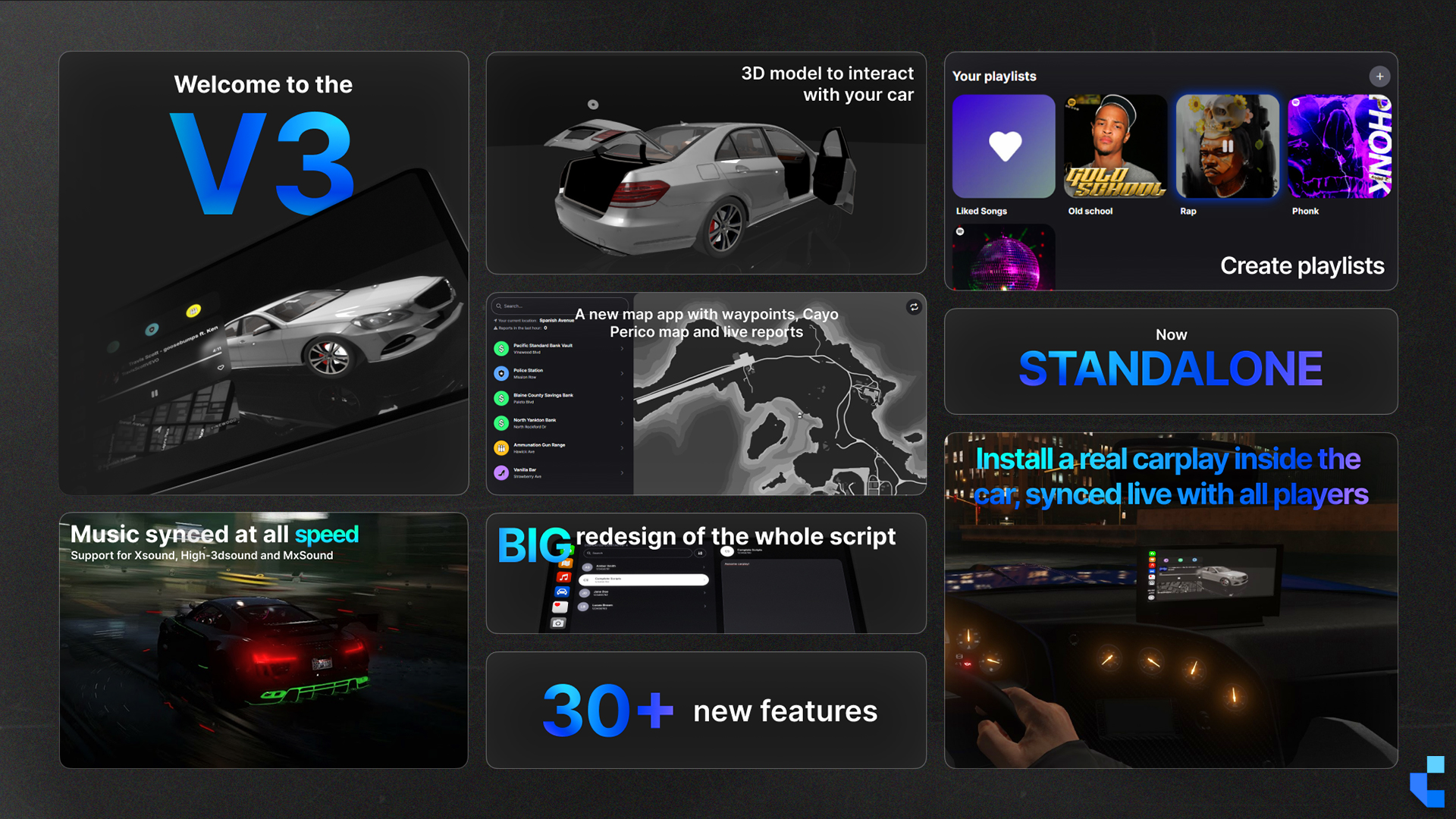
Complete CarRadio V3 brings a whole new driving experience to FiveM. Featuring a real in-vehicle object that projects the radio interface, a fully redesigned UI, customizable playlists, and the ability to interact with a live 3D model of your vehicle. Whether you're cruising, reporting live events, Complete CarRadio V3 gives you full control, real-time immersion, and a seamless connection between you and your car.
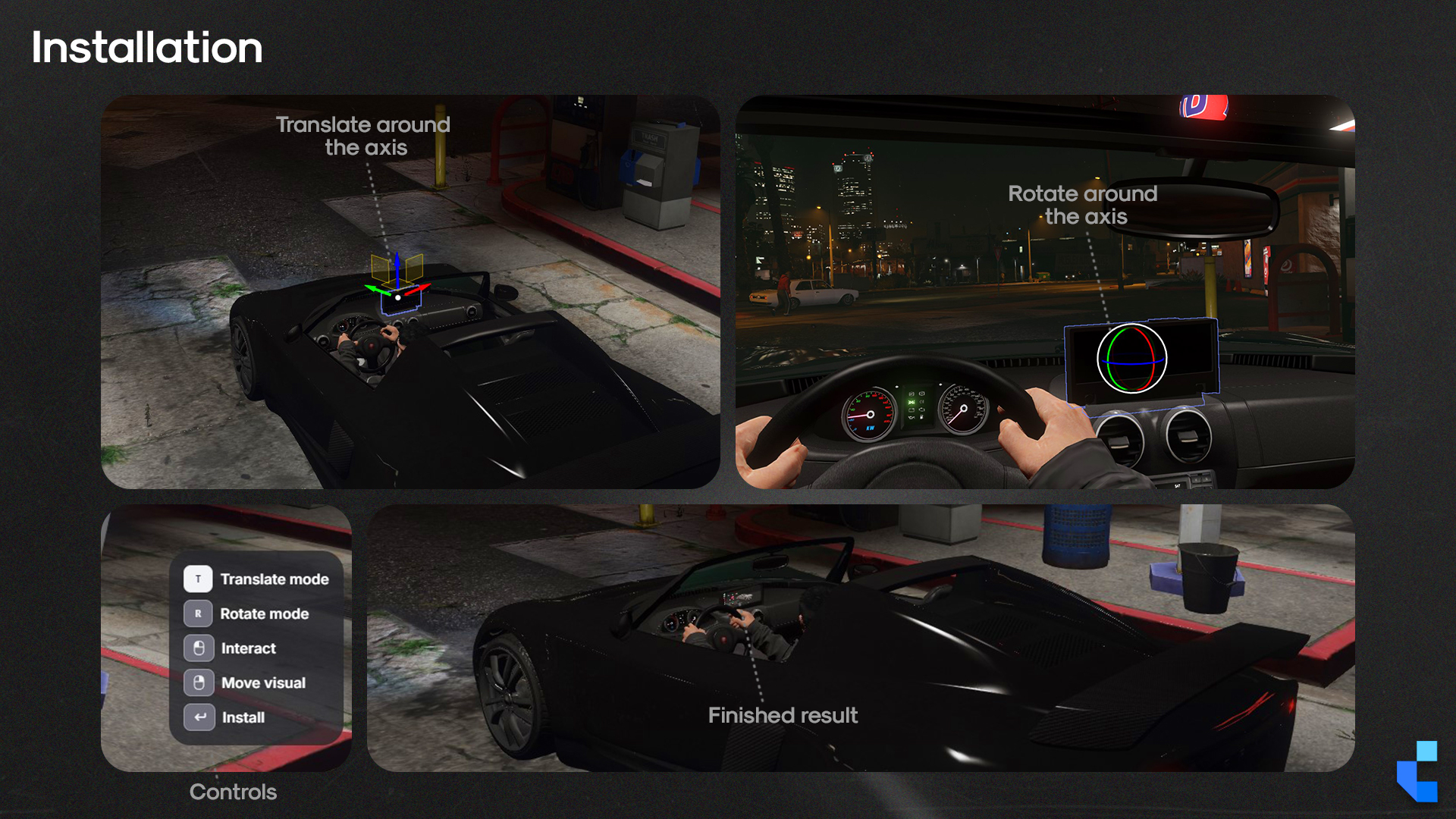
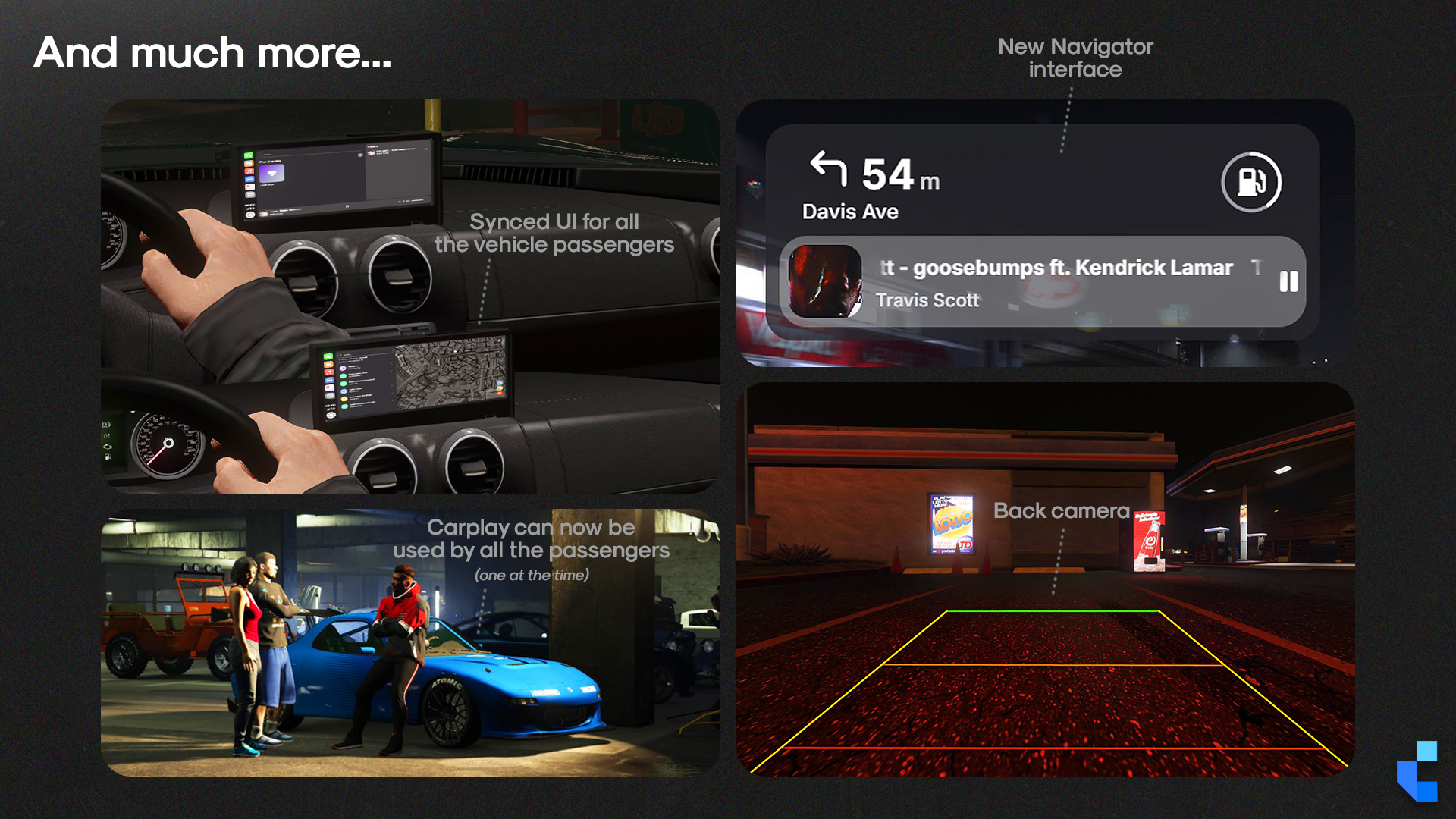
- A 3D in-dash prop projects the radio interface inside the vehicle, visible to driver and passengers
- Music syncs across every player in the cabin simultaneously, powered by xsound or mx-surround
- Every track is defined by the server owner in `config.lua` and played from local audio files, no third-party music services involved
Watch Complete CarRadio in action
Overview
The problem with driving in FiveM roleplay is that there's nothing to do while behind the wheel. Complete CarRadio replaces the dead driving experience with a genuine interactive system: other than interacting with a simple UI on screen, you also get a physical dashboard prop that renders the radio interface inside the car, players browse and manage playlists, and a 3D model of the vehicle is accessible directly from the music screen.
Audio sync is where the immersion becomes visible to everyone in the cabin. Every player hears the same track at the same volume simultaneously, the xsound or mx-surround libraries handle attenuation realistically, so sound bleeds out when doors are open and tightens when they're closed and it's what makes it feel like a real car rather than a floating menu.
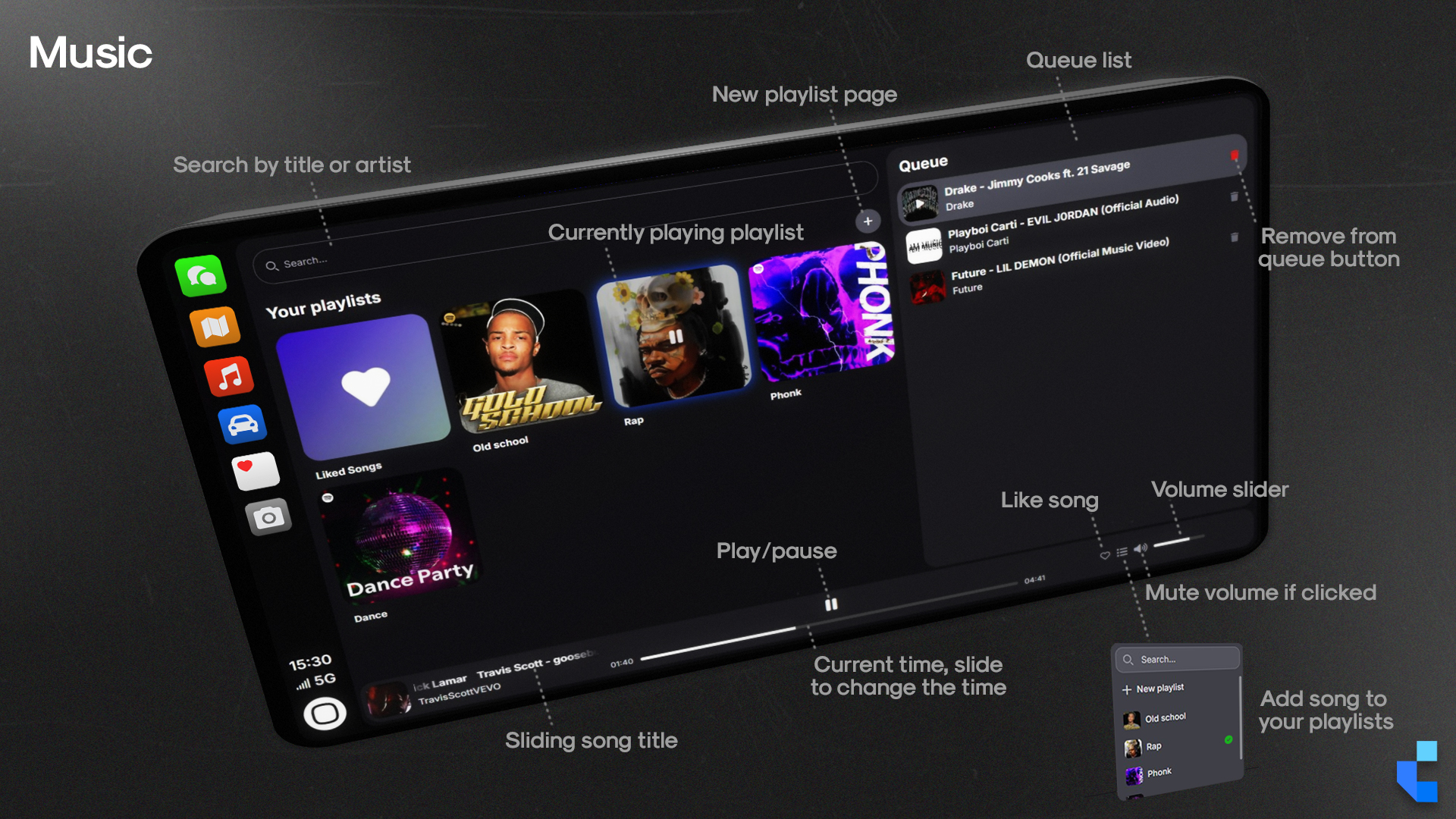
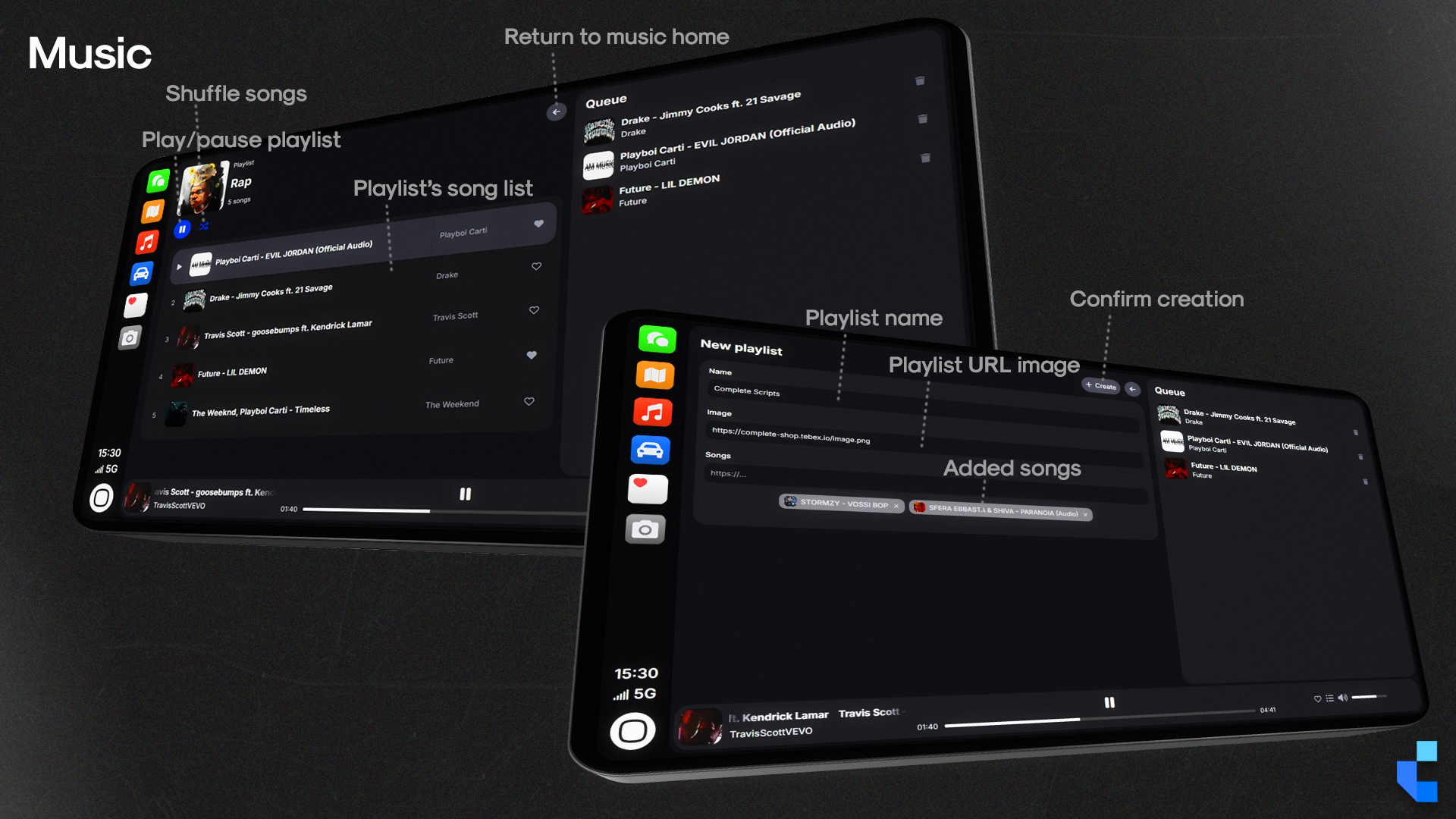
The music itself comes from a library the server owner builds. Tracks are declared in `config.lua` and play from audio files stored locally inside the resource, or from direct links to audio files the owner hosts themselves. Players never enter a link of their own: they open the music app, tap the search field, and the full library appears as a list they can scroll or narrow down by typing. This resource contains no third-party audio or music service integrations of any kind. The audio a server owner adds or replaces is their own to account for, and must be content they hold the necessary rights to, in line with the requirements of the Cfx.re Creator Platform License Agreement.
For server owners, this translates to one concrete outcome: driving stops being transit time and becomes engagement time. Players who would have tabbed out on a 10-minute drive to the countryside now have something to interact with. That's session length, and session length is the metric that drives donor conversion.
What’s Included
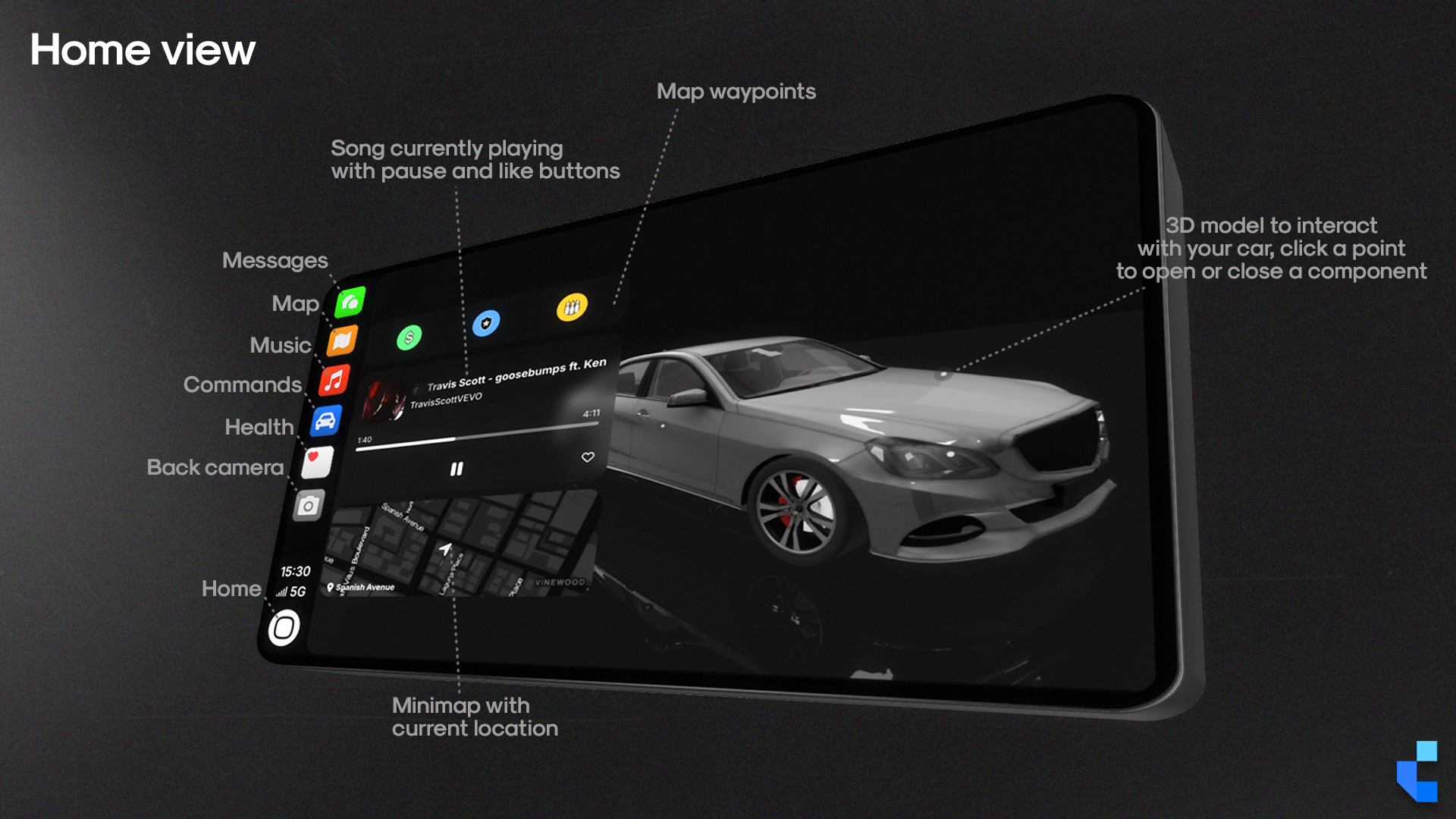
- 3D In-Vehicle Prop: A physical dashboard-mounted object renders the radio interface inside the car, visible and synced from both the driver and passenger seats
- Synchronized Audio: Every player in the vehicle hears the same track simultaneously; xsound or mx-surround handles realistic cabin audio attenuation based on door state
- Server-Defined Track Library: Every playable track is declared by the server owner in `config.lua`, sourced either from local audio files placed in the xsound or mx-surround sounds folder, or from a direct link to an audio file the owner hosts
- Instant Library Browsing: Tapping the search field opens the full track list straight away; typing narrows it down by name, so there is no scrolling through a long library and no link to paste
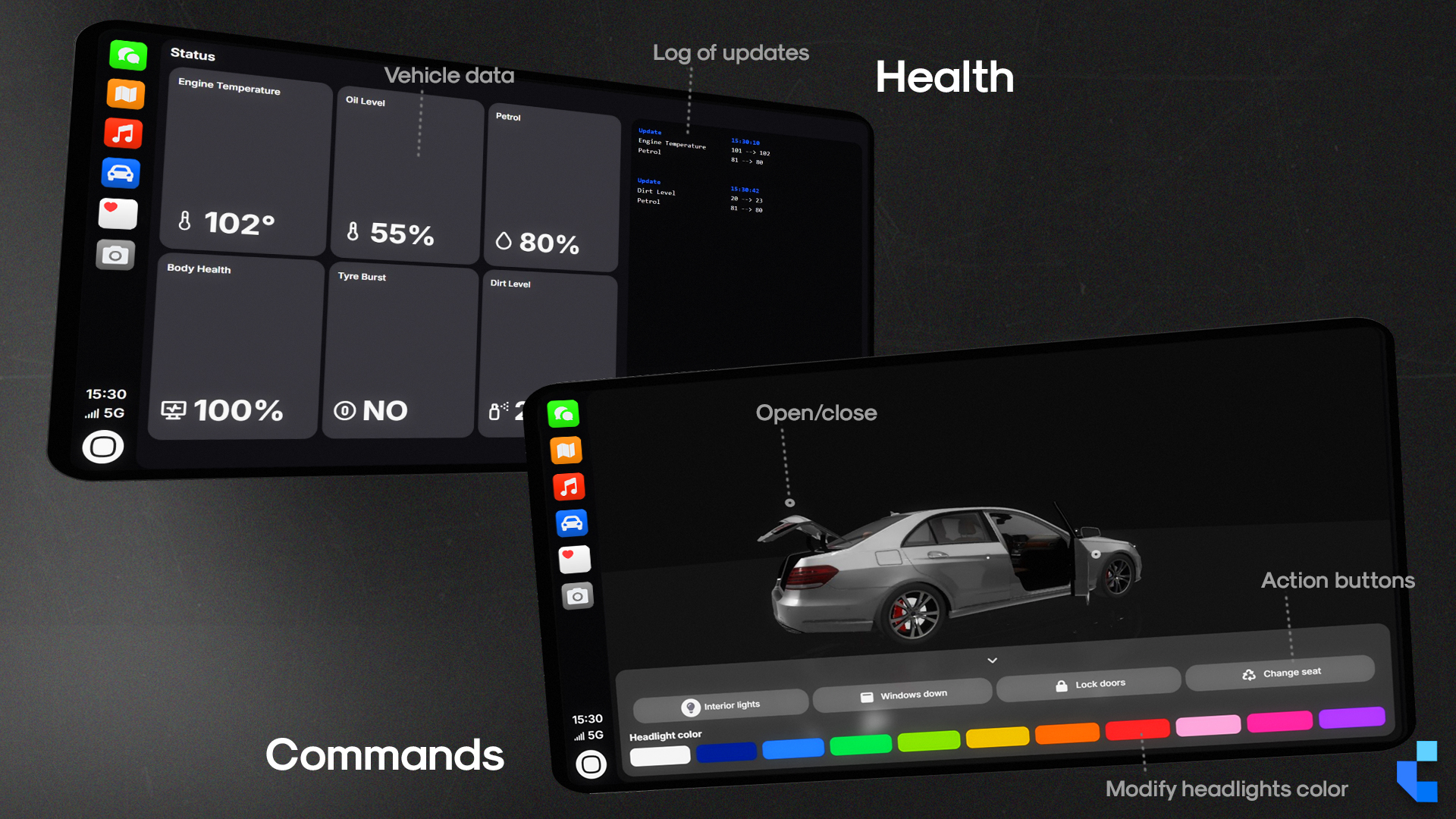
- Live 3D Vehicle Viewer: Players can inspect a real-time 3D render of the situation of the current vehicle directly from within the radio screen
- Import Playlist: Pull saved tracks from any vehicle in the player's owned garage and load them into the current session
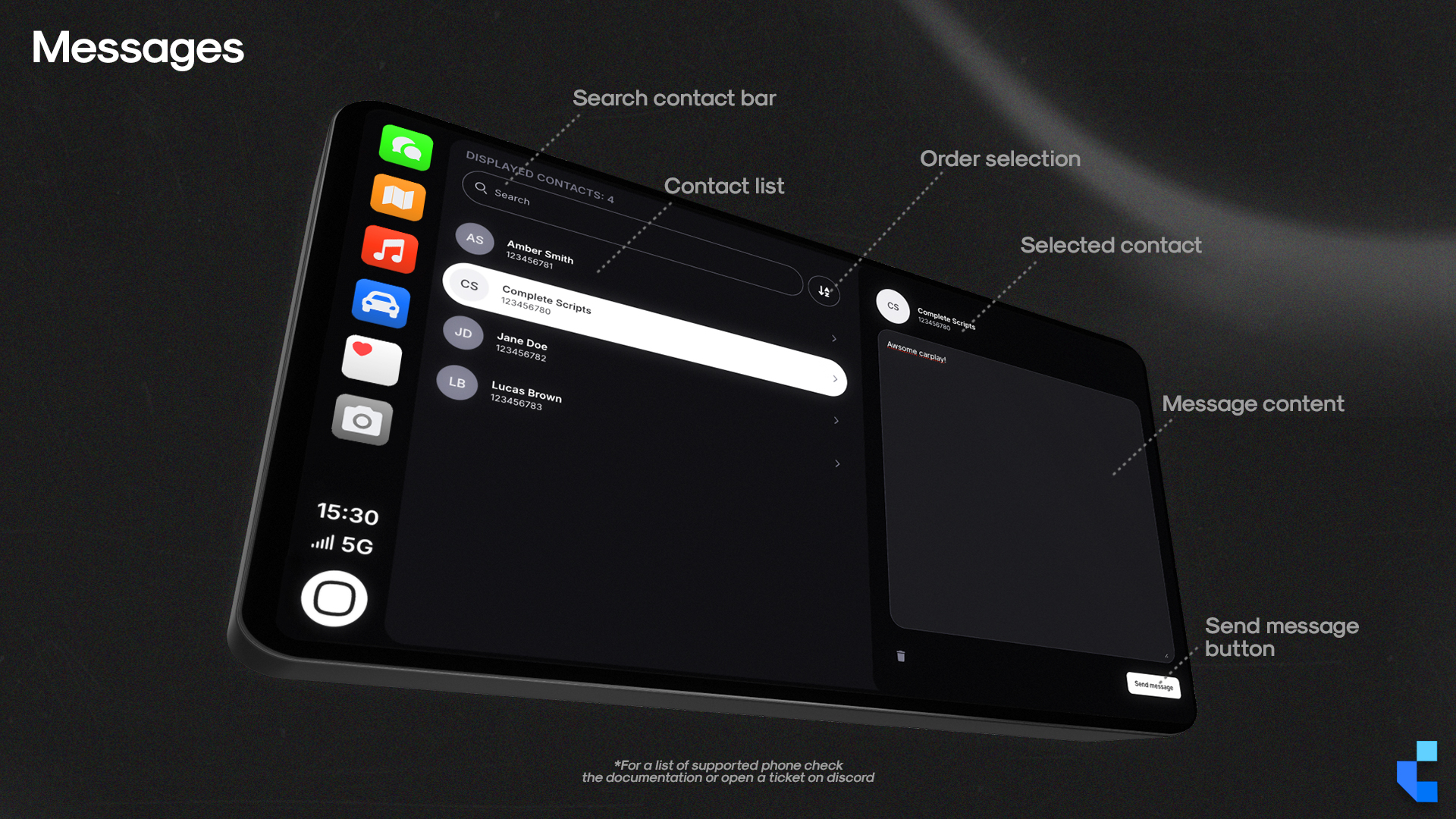
- Messages: Send text messages to other players directly from the radio interface, with real-time delivery (only for supported phones scripts)
- Car health: Displays current vehicle health information like engine, dirt, body, and keeps track of the logs
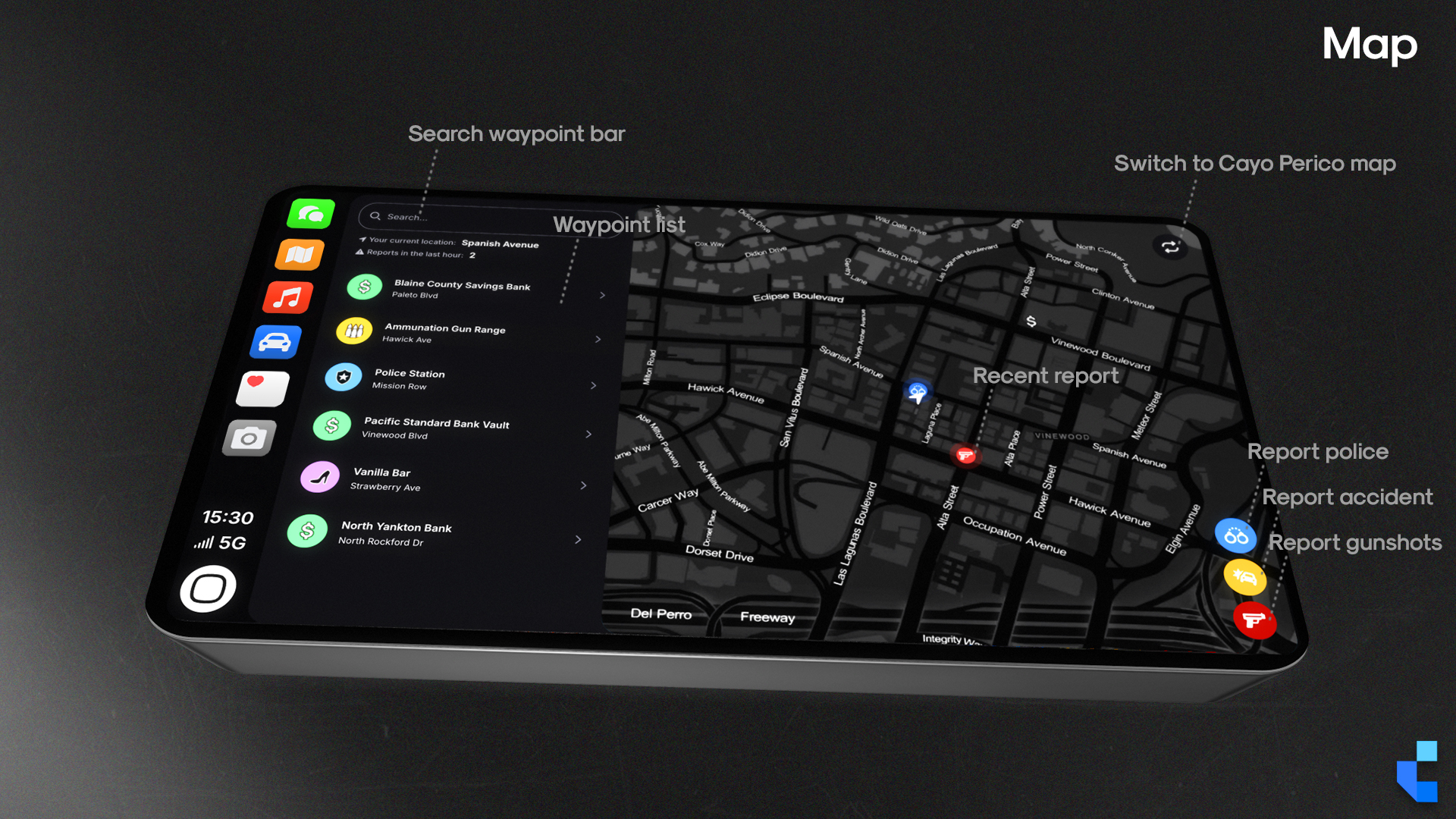
- Real-Time Map Events: Players can report live events (accidents, police, gunshots) through the map app, visible to all players on the server
- Inventory System Hook: An exposed function in `server.lua` lets your development team bridge item-check logic to any economy or inventory system without touching escrowed code
Complete Plus
You’re looking at 39.99€. Complete Plus is 28€/month.
Covers Complete CarRadio, every other script we’ve shipped, and every release while you’re subscribed. Math check: if you’ll use two or more scripts in your build, Plus already costs less than buying them individually.
Dependencies
- Standalone / ESX / QBCore / QBOX
- ox_lib
- xSound or Mx-Surround
Recent Updates
- v3.1.0
Import Playlist (pull from any garaged vehicle), adaptive cover art color accentuation, integrated playlist search, hover-triggered delete action, server-side item-check hook exposed, Mx-surround compatibility patch.
- v3.0.1
DisableHeadlightsColor HTML config flag added to restrict headlight color permissions per server policy.
- v3.0.0
V3 launch — full rewrite of the UI, 3D in-vehicle prop, xsound-synced cabin audio, live 3D vehicle viewer.
Frequently Asked Questions
Will my CarRadio playlists and favorite songs save after I relog?
Yes, but the included `.sql` schema file must be imported into your server's active database first. Locate it in the script's root directory and import it before first run. If playlists reset on relog, this is the cause every time.
What is the restricted mode that appears on my CarRadio?
It means that the car you are using the radio in is not an owned vehicle but instead a spawned one (via admin or npc). To remove this message, you need to own the car in-game. Otherwise, the script would not be able to save information about the car inside the database.
Players outside the car can barely hear the music. Is something broken?
No, this is intentional behavior from the xsound or mx-surround audio library, which simulates physical sound isolation. Closed doors trap audio inside the cabin. To soften the attenuation, open `config.lua` and raise `Config.XSoundDistanceClose` (a value of `15` is the recommended starting point).
Where does the music come from? Can players add their own songs?
The music comes from a track library you define. You place your audio files in the sounds folder of xsound or mx-surround and list them in `config.lua`, or you point an entry at a direct link to an audio file you host yourself. Players choose from that list and nothing else, there is no field for them to paste a link into, and the script has no connection to any external music service. Any audio you add must be content you hold the rights to, in line with the Cfx.re Creator Platform License Agreement.
Does this work if our server uses a custom inventory system?
Yes. A server-side item-check function is exposed in `server.lua` specifically so your team can bridge it to any inventory logic without touching escrowed files.
Technical Notes
Requires `xsound` or `mx-surround` as an external audio dependency, install and configure xsound or mx-surround on your server before enabling Complete CarRadio. Playback is limited to the tracks listed in `config.lua`: local audio files placed in the sound library folder, or direct links to audio files the server owner hosts. The resource contains no third-party audio or music service integrations, and audio added by the server owner must be content they hold the necessary rights to under the Cfx.re Creator Platform License Agreement. Persistent playlist data (favorites, per-vehicle settings) requires importing the bundled `.sql` schema into your MySQL/MariaDB instance. Framework compatibility is genuine standalone: works across ESX, QBCore, QBOX, and vRP without modification. Distributed via Cfx.re Asset Escrow; `server.lua` and configuration sections are open for bridging. All future updates free via Keymaster re-download.
Support & Refund Policy
For purchase or website support, please contact Tebex. We offer support all the days, with faster response times during weekdays, but only during working hours of GMT+1.
Refunds are not accepted after purchase as the package is delivered in a fully functional condition. In some cases, and at our sole discretion, we may offer a refund if the issue cannot be resolved or if you are unable to get the script working despite our best efforts. We reserve the right to deny a refund request at any time and for any reason. Initiating a chargeback may result in actions from Tebex and Complete Scripts due to violations of Tebex policies.